


High Volume ID Card Printers
High volume ID card printers are designed for organisations printing over 10,000 cards per year or producing large batches regularly. They’re built for demanding environments where speed, reliability and minimal interruption matter, including large businesses, universities, hospitals, membership organisations and centralised ID bureaux.

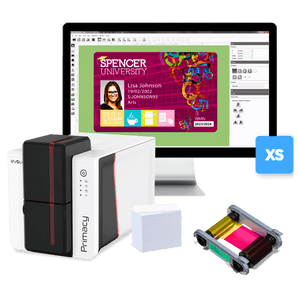
Quick view Recommended High Performing ID Card Printer Bundle, Evolis Primacy 2 From £1,115.00 / (£1,338.00 inc VAT)High Volume

Quick view 

Quick view 

Quick view Magicard 600 ID Card Printer, Uno From £1,315.00 / (£1,578.00 inc VAT)Free Upgrade to DuoHi-Res Print

Quick view Magicard 600 ID Card Printer, Duo From £1,315.00 / (£1,578.00 inc VAT)Duo for Price of UnoHi-Res Print- New


Quick view - New

Quick view 
Quick view - New


Quick view - New
Quick view 
Quick view 
Quick view 
Quick view 

Quick view 

Quick view


Who are high-volume ID card printers for?
High-volume ID card printers are designed for organisations that produce cards regularly, in large quantities and with minimal interruption. They are particularly suitable when card printing is an ongoing operational requirement rather than an occasional task.

Large businesses and corporate organisations
Managing employee ID cards, access-control credentials and ongoing staff onboarding.

Universities & Colleges
Issuing student ID cards and replacements throughout the academic year.

Healthcare providers & hospitals
Producing staff IDs, secure access cards and visitor badges in busy environments.

Membership organisations and leisure groups
Printing large volumes of membership cards and renewals.

Events and accreditation teams
Creating high volumes of passes, badges and temporary credentials on demand.
How to Choose the Right High-Volume ID Card Printer
Not all high-volume ID card printers are the same. When you are printing at scale, the right choice comes down to performance, reliability, and how the printer fits into your day-to-day workflow.
Here are the key things to consider:
- Print speed and throughput
If you are printing large batches or issuing cards regularly, speed matters. Look for printers that can handle high card volumes efficiently without slowing down or requiring frequent pauses. Faster printers help reduce bottlenecks and keep operations running smoothly.
- Direct-to-card vs retransfer printing
Most high-volume printers use direct-to-card printing, which is ideal for standard ID cards and everyday use. Retransfer printers, such as the Evolis Agilia or Matica XID8300 range, print onto a film first and then apply it to the card. This produces higher-quality, edge-to-edge results and is better suited to smart cards, access control cards, or premium card designs.
- Single-sided or dual-sided printing
Dual-sided printers are often the better choice at this level, especially if you regularly print additional information on the back of the card such as terms, instructions, or branding. They also improve efficiency by eliminating the need to manually flip cards.
- Encoding and card technology
If your cards are used for access control, time and attendance, or secure identification, you may need encoding options such as magnetic stripe, contact chip, or contactless technology. Make sure the printer you choose supports the card type your system requires.
- Connectivity and shared use
In larger organisations, printers are often used by multiple people or departments. Ethernet connectivity is usually essential, and some models also offer Wi-Fi options to make integration into your network easier.
- Reliability and duty cycle
High-volume environments require printers designed for frequent use and dependable performance. Consider how often the printer will be used, the size of each batch and how quickly cards need to be produced.
- Future scalability
If your card programme is likely to grow, choose a printer that can adapt with you. Options such as encoding upgrades, higher-capacity hoppers, or modular features can help extend the life of your investment.
If you're unsure which features matter most for your setup, it can help to read our guide to what to consider before buying an ID card printer or explore our explanation of ID card printer features in more detail.
Compare high-volume ID card printers
Hide printers to create a side-by-side comparison of your short-list. At least 3 printer columns will always stay visible.
| Printer Model | ||||||||
|---|---|---|---|---|---|---|---|---|
| Best for | High-volume teams looking for sharp, high quality print and reliable single-sided production | Busy environments looking for reliable, high quality double-sided printing with strong throughput | Medium-to-high-volume teams prioritising fast, efficient direct-to-card printing for regular card issuance | Medium-to-high-volume teams printing regular batches with information needed on both sides | Premium card programmes needing flawless over-the-edge print on smart cards and mixed card materials | High-security or premium dual-sided programmes where over-the-edge print quality matters | Reliable retransfer printing for access control, campus cards, and secure ID programmes at scale | Secure card programmes needing high-definition over-the-edge printing and scalable encoding or lamination options |
| Print technology | Direct-to-card dye sublimation / rewrite | Direct-to-card dye sublimation / rewrite | Direct-to-card dye sublimation / resin thermal transfer / rewrite | Direct-to-card dye sublimation / resin thermal transfer / rewrite | Retransfer | Retransfer | Retransfer | HDP retransfer |
| Single or dual-sided | Single-sided | Dual-sided | Single-sided | Dual-sided | Single-sided | Dual-sided | Single-sided XID8300 platform also available in dual-sided variants |
Single-sided Upgradeable to dual-sided printing |
| Print resolution | Up to 600 × 300 dpi | Up to 600 × 300 dpi | 300 dpi standard High-resolution modes available |
300 dpi standard High-resolution modes available |
600 dpi | 600 dpi | 300 dpi | 300 dpi |
| Colour speed | Up to 190 cards/hr | Up to 190 cards/hr | Up to 225 cards/hr | Up to 150 cards/hr dual-sided | Up to 150 cards/hr | Up to 85–90 cards/hr dual-sided | Up to 120 cards/hr | Up to 133 cards/hr |
| Input hopper | 100-card input hopper | 100-card input hopper | 100-card feeder 200-card feeder available |
100-card feeder 200-card feeder available |
200-card feeder | 200-card feeder | 200-card input hopper | 100-card input hopper Expandable to 200 cards |
| Output hopper | 70-card output hopper | 70-card output hopper | 100-card output hopper | 100-card output hopper Reject tray / output hopper included |
100-card hopper | 100-card hopper 10-card reject hopper |
100-card output hopper | 200-card output hopper |
| Connectivity | USB, Ethernet & Wi-Fi | USB, Ethernet & Wi-Fi | USB + Ethernet standard Wi-Fi optional |
USB + Ethernet standard Wi-Fi optional |
USB + Ethernet | USB + Ethernet | USB + Ethernet | USB + Ethernet |
| Encoding options | Mag stripe, smart card and secure single-line encoding options | Mag stripe, smart card and secure single-line encoding options | Mag stripe, contact and contactless options | Mag stripe, contact and contactless options | Magnetic, contact and contactless encoding options | Magnetic, contact and contactless encoding options | Mag stripe, smart card encoding, lamination and security add-ons available | Mag stripe, contact and contactless encoding options Lamination modules available |
| Warranty | 4 years | 4 years | 3 years on printer and original printhead | 3 years on printer and original printhead | 3-year printer warranty Lifetime printhead warranty |
3-year printer warranty Lifetime printhead warranty |
3 years Lifetime printhead warranty with EDIsecure® materials |
3 years Lifetime printhead cover |
| Good fit if... | You want sharper direct-to-card printing, built-in security features, and strong everyday performance for high-volume issuance | You need high-throughput printing with automatic duplex and Magicard’s security-focused setup | You want the fastest direct-to-card option here and print large batches of standard plastic cards | You need fast two-sided printing for staff cards, student IDs, or visitor programmes that run daily | You need premium retransfer quality, edge-to-edge results, and reliable printing on chip or uneven-surface cards | You want premium dual-sided retransfer output for secure IDs, smart cards, or higher-end credential programmes | You want a robust retransfer printer with strong card compatibility, high-capacity consumables, and a scalable platform | You need secure, over-the-edge printing on smart or technology cards with room to add encoding, duplexing or lamination |


Tip: use the Hide links inside each printer header to remove models you are not considering. At least 3 printers will remain visible so the comparison still makes sense.
If terms like retransfer, encoding, Ethernet, or dual-sided printing are unfamiliar, our quick guide explains everything in plain English so you can confidently choose the right ID card printer.
Read the ID card printer jargon buster →Is a high-volume ID card printer right for you?
A high-volume ID card printer is a good choice if you print around or over 10,000 cards per year, regularly produce large batches or need dependable performance with minimal interruption. These printers are particularly useful when fast turnaround, larger card hoppers, encoding options or premium print quality are important to your card programme.
Annual volume is only part of the decision. Your typical batch size, how frequently you print, the type of cards you use and whether you need direct-to-card or retransfer printing should also be considered. Some models, including the Evolis Primacy 2, can support both mid-volume and higher-volume workflows.
If you print regularly but remain below approximately 10,000 cards per year, compare our mid-volume ID card printers. For occasional printing or smaller quantities, explore our low-volume ID card printers.
Blog

ID Card Printers: Direct-to-Card or Retransfer?
ID Card Printers fall into two categories generally - Direct-to-Card or Retransfer. We look at the differences between them, how they print, what they're likely to cost and whether they're...
See More

Save money when buying an ID Card Printer Bundle
Get everything you need to start printing right away, includes free software.

Factors to consider when looking for your ID Card Printer
With so many models available on the market, where's a good place to start?

Why you should consider the running costs as well as the price tag
There’s the upfront investment to take into account, but what’s the printing cost per-card?
High-Volume ID Card Printer FAQs
Practical answers about print volumes, printer technology, running costs and choosing the right high-volume ID card printer.
Volume and suitability
How to decide whether this is the right printer range for your organisation.
What is a high-volume ID card printer?
A high-volume ID card printer is intended for organisations producing around or over 10,000 cards per year, printing large batches regularly or operating a demanding card programme. Annual volume is a useful guide rather than a fixed manufacturer limit, so batch size, printing frequency and card type should also be considered.
Who are high-volume ID card printers best suited for?
High-volume ID card printers are commonly used by large businesses, universities, hospitals, local authorities, membership organisations, event accreditation teams and centralised ID bureaux. They are particularly useful where cards are issued regularly and delays would disrupt day-to-day operations.
How do I know whether I need a mid-volume or high-volume ID card printer?
Consider your annual volume, typical batch size, printing frequency and required turnaround time. If you print around or over 10,000 cards per year, produce large batches or issue cards most days, start with this range. If you print regularly but in smaller quantities, compare our mid-volume ID card printers.
Is the Evolis Primacy 2 a high-volume ID card printer?
Yes. The Evolis Primacy 2 is a mid-to-high-volume printer that suits regular card production and larger batches. It can appear in both our mid-volume and high-volume ranges because the right classification depends on the batch size, print frequency, card design and workflow rather than one rigid annual figure.
Technology and features
The practical differences that matter when comparing printers.
What features should I compare when choosing a high-volume ID card printer?
Compare colour print speed, input and output hopper capacity, single- or double-sided printing, connectivity, encoding options, print quality, warranty and available upgrades. Our plain-English ID card printer features guide explains the terminology if you are unsure which specifications matter.
Are high-volume ID card printers always faster than mid-volume models?
Not always. Print speed varies by model, ribbon type, print quality, single- or double-sided output and whether the printer uses direct-to-card or retransfer technology. A faster quoted speed is useful, but hopper capacity, reliability and the time required for each complete batch can be just as important.
What is the difference between direct-to-card and retransfer printing?
Direct-to-card printers apply the design directly to the card and are often a fast, cost-effective choice for standard plastic cards. Retransfer printers print onto a film before applying the image to the card, producing over-the-edge results and more consistent printing on smart cards or uneven surfaces. Read our direct-to-card versus retransfer guide or compare our retransfer ID card printers.
Do I need a single-sided or double-sided high-volume printer?
A single-sided printer may be sufficient if all essential information fits on the front. Choose a double-sided printer when you regularly print barcodes, instructions, terms, emergency information or branding on the reverse. Automatic duplex printing avoids manually turning cards during larger batches. You can also compare our double-sided ID card printers.
Can high-volume ID card printers encode smart cards?
Many high-volume printers can be configured with magnetic stripe, contact or contactless encoding, but the available options vary by model and may need to be installed when the printer is ordered. Confirm the exact card technology and access-control system you use before choosing the printer or encoding module.
Costs and getting started
What you will need to operate the printer and assess its longer-term value.
What running costs should I consider?
Allow for compatible colour or monochrome ribbons, blank cards and cleaning supplies. Retransfer printers also require retransfer film, and laminating printers need laminate. Compare consumable yields and the estimated cost per finished card rather than looking only at the printer price. Our guide explains ID card printer running costs in more detail.
What do I need to start printing cards in-house?
You will normally need the printer, compatible ribbon, blank cards, cleaning supplies and ID card software. Retransfer models also require film. Depending on your programme, you may also need encoding, lamination, card holders or lanyards. Some ID card printer bundles include the main items required to get started.


