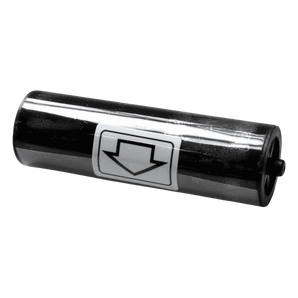
How to choose the right ID card printer cleaning kit
Cleaning supplies are not universal, even when they are made for printers from the same manufacturer. Before ordering:
Check the manufacturer and exact model number of your printer.
Compare the models listed in the product’s compatibility information.
Check the product code if you are replacing an existing cleaning kit.
Choose the correct product for the area being cleaned, such as the card path, rollers or printhead.
If you are unsure which kit you need, contact our printer team with your printer make and model and we’ll check it for you.
Why clean your ID card printer?
Dust, debris and residue naturally collect inside an ID card printer during normal use. Regular cleaning helps maintain consistent print quality, reduce card-feeding problems and protect delicate components such as the printhead and rollers.
Using the correct cleaning supplies can help:
Maintain clear, consistent print quality
Reduce card-feeding problems and jams
Remove dust and residue from the card path
Protect the printhead from avoidable damage
Keep the printer operating reliably
Support the manufacturer’s recommended maintenance routine
Can I use any cleaning card in my ID card printer?
No. Cleaning cards can vary in size, thickness, adhesive placement and intended use. Always choose a cleaning product that specifically lists your printer model as compatible.
Do I need to clean the printer every time I replace the ribbon?
Many printer manufacturers recommend cleaning the printer during a ribbon change. Always follow the instructions for your particular printer model and run a cleaning cycle when prompted.
Can cleaning improve poor print quality?
Cleaning may resolve print problems caused by dust, dirt or residue, including marks, lines and inconsistent card feeding. Print defects can also be caused by a damaged printhead, unsuitable cards, incorrect settings or a faulty ribbon.
Can I clean the printhead myself?
Only use the cleaning method and products approved for your printer. Printheads are delicate and can be damaged by unsuitable cleaning products, sharp objects or excessive pressure.
What happens if I do not clean my card printer?
A build-up of dirt and debris can contribute to poor print quality, card-feeding problems, ribbon jams and avoidable printer downtime. Failing to follow the manufacturer’s maintenance routine may also affect warranty support.
How do I find the correct cleaning kit?
Check the printer brand and exact model number, then use the compatibility information shown on the cleaning-kit product page. Our team can help identify the correct kit if you are unsure.
The wooden cards look great and work well, the design work was completed quickly and very nicely.
Time for production was quite long with to many confirmation emails even following a PO being issued for the product. So deliver took even longer.