Magicard ID card printers are designed and manufactured in the UK and are widely used for printing staff ID cards, membership cards, visitor badges, student cards and event passes in-house.
Whether you are printing occasional cards for a small team or issuing thousands of cards each year, the Magicard range offers secure and reliable options for a wide variety of organisations.
Magicard ID card printers are a strong choice for organisations that want secure, reliable card printing from a trusted UK manufacturer. They are especially popular with schools, colleges, membership organisations, businesses and event teams that need to print professional plastic cards in-house.
One of the key reasons buyers choose Magicard is the built-in HoloKote® security watermark, which is included as standard on Magicard printers. This adds a visible security layer to cards without requiring extra consumables, making it a practical option for organisations concerned about card copying or misuse.
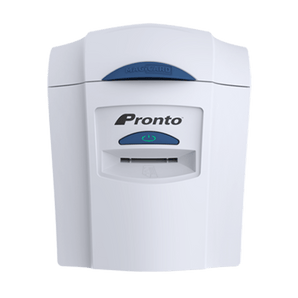
The Magicard range also offers a good spread of models for different needs, from the compact Pronto 100 for lower-volume printing, to the Magicard 300 for everyday use, and the Magicard 600 for faster, more demanding card programmes. For conferences and exhibitions, the Magicard E+ is designed specifically for event badge printing.
As a Magicard Approved Partner, The Card Network can help you compare models, explain the real differences between them and guide you to the right printer for your organisation without upselling you to something you do not need.
Magicard ID Card Printer Comparison
Green = lower volume / starter · Blue = higher performance / more specialist
Hide a printer to simplify the comparison. At least 2 printers will stay visible.
Up to 190 cards/hour on CR80 cards 112 cards/hour on 109mm cards
Monochrome speed
766 cards/hour
720 cards/hour
720 cards/hour
Up to 750 cards/hour on CR80 cards up to 519 cards/hour on 140mm cards
Card input / output
50 input / 50 output
100 feeder / 70 stacker
100 feeder / 70 stacker
100 input / 70 output
Connectivity
USB and Ethernet
USB and Ethernet
USB, Ethernet and Wi-Fi via supplied dongle
USB and Ethernet
HoloKote® security
3 standard designs
4 standard designs + up to 4 custom designs
10 standard designs + up to 10 custom designs
Included and can be customised to an individual logo design
Extra security features
Digital Shredding™
Digital Shredding™
Digital Shredding™, threat benchmarked security scans, encryption ready
Built-in HoloKote® event badge security
Encoding options
None listed as standard
Magstripe, contact chip, MIFARE®, DESFire® and iClass® options
Magstripe, contact chip, MIFARE®, DESFire® and iClass® options
Uno / Smart / Smart SLE / Duo variants available
Warranty
3-year limited warranty
4-year MagiCover limited warranty
4-year MagiCover Limited Warranty
3-year MagiCover limited warranty
Tip: swipe left/right to compare. Use the Hide buttons to simplify the table. Want a recommendation? Take our Printer Finder Quiz.
Which Magicard ID Card Printer Should You Choose?
If you’re not sure which Magicard printer you need, start by looking at your expected yearly card volume and whether security features or print speed are important.
Helpful answers on choosing, maintaining and getting the best from Magicard printers, including support for Magicard ribbons, built-in HoloKote® card security and the differences between the Pronto100, 300, 600 and E+ ranges.
Choosing the Right Magicard Printer
These are the questions buyers ask most often when comparing Magicard printers for schools, offices, access control, membership schemes and events.
Which Magicard printer is best for schools or offices?
For most schools, colleges, offices and membership organisations, the Magicard 300 is usually the best all-round option. It is designed for organisations printing up to 10,000 cards per year and offers strong print quality, built-in security and optional encoding features.
What is the difference between the Magicard Pronto100 and Magicard 300?
The Pronto100 is a compact desktop printer aimed at lower-volume printing, while the Magicard 300 is better for organisations printing more regularly. The Magicard 300 also supports more card types, optional magnetic stripe and smart card encoding, and higher feeder capacity.
What is the difference between the Magicard 300 and Magicard 600?
The Magicard 600 is the more advanced printer, designed for buyers who want faster print speeds, stronger security features and more detailed output. It supports up to ten custom HoloKote® designs, is Wi-Fi ready and includes the stronger MagiCover Plus warranty, while the Magicard 300 is the more common choice for everyday secure ID card printing.
Which Magicard printer is best for events?
The Magicard E+ is designed specifically for event badge printing. It can print longer-format badges up to 140 x 54mm, making it ideal for conferences, exhibitions and event passes where extra branding space or larger badges are needed.
Are Magicard printers made in the UK?
Yes. Magicard printers are designed and manufactured in the UK, which is one of the reasons they are popular with organisations looking for reliable card printing backed by established technical support and a trusted manufacturer.
Security, Features and Maintenance
Magicard stands out for built-in visual card security and secure data handling, so this section covers the questions people usually ask before buying or while running the printer day to day.
What is HoloKote® on a Magicard printer?
HoloKote® is Magicard’s built-in security watermark that is printed across the card surface during printing. It adds a visible anti-fraud feature without needing extra consumables. Depending on the model, you can also add custom HoloKote® designs such as a logo or unique security pattern.
Do all Magicard printers include HoloKote® security?
Yes, HoloKote® is a core feature across the Magicard range. The Pronto100 includes 3 standard designs, the Magicard 300 includes 4 standard designs with up to 4 custom designs, and the Magicard 600 supports 10 standard designs with up to 10 custom HoloKote® designs.
Do Magicard printers support smart cards and access control cards?
Yes, selected Magicard printers support magnetic stripe, contact chip and contactless smart card encoding. The Magicard 300 and Magicard 600 are better suited to access control and smart card applications because they are available with magnetic stripe and smart encoding options including MIFARE®, DESFire® and iClass®.
How do I clean a Magicard printer?
Use the correct Magicard cleaning supplies for your model and follow the recommended maintenance cycle for the printer. Regular cleaning helps protect the printhead, reduce card feed issues and maintain print quality. It is also important to use approved consumables and carry out routine maintenance as recommended.
How often should I clean a Magicard printer?
You should clean a Magicard printer whenever the printer prompts you, when changing ribbons, or sooner if you notice streaks, dust marks, feed issues or inconsistent colour. Regular cleaning helps keep the printer running smoothly and can support warranty conditions where routine maintenance is required.
What warranty do Magicard printers come with?
Warranty varies by model. The Pronto100 and Magicard 300 come with a 4-year limited warranty, while the Magicard 600 includes a 4-year MagiCover Plus warranty with printhead cover and hot-swap loaner service. The Magicard E+ comes with a 3-year MagiCover limited warranty.
Cards, Ribbons and Compatibility
Extra answers covering ribbons, card materials, event badge formats and compatibility so buyers can feel more confident before they order.
What ribbons do Magicard ID card printers use?
Magicard printers use model-specific ribbons, so it is important to choose ribbons made for the correct printer range. You can browse Magicard printer ribbons by model to make sure you get the right consumables for reliable print quality and accurate ribbon recognition.
Can I use generic ribbons in a Magicard printer?
It is generally best to use approved Magicard consumables for your specific printer model. Using non-approved ribbons can lead to print quality issues, ribbon recognition problems and may affect warranty conditions where original Magicard consumables and correct maintenance are required.
What cards can Magicard printers print on?
Most Magicard printers are designed to print on standard CR80 plastic cards, with support varying by model for rewritable cards, HoloPatch® cards, magnetic stripe cards and smart cards. The Magicard 300 and 600 support a broader range of card types than the Pronto100, while the E+ also supports longer-format event badges.
Can the Magicard E+ print longer event badges?
Yes. The Magicard E+ can handle 85.6 x 54mm, 109 x 54mm and 140 x 54mm cards. That makes it particularly useful for conferences and exhibitions where you want larger badges with more room for branding, schedules, QR codes or attendee information.
Can Magicard printers print double-sided cards?
Yes, selected Magicard printers are available in single-sided Uno and double-sided Duo versions. The Magicard 300, Magicard 600 and Magicard E+ are all available in both Uno and Duo configurations depending on your requirements.
See More
Why you should consider the running costs as well as the price tag
There’s the upfront investment to take into account, but what’s the printing cost per-card?
The wooden cards look great and work well, the design work was completed quickly and very nicely.
Time for production was quite long with to many confirmation emails even following a PO being issued for the product. So deliver took even longer.