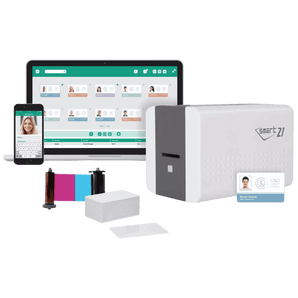
Not quite sure which ID card printer, ribbon or software you need?
These guides explain the key things to know before you buy, or you can
take our quick printer quiz
for a faster recommendation.
Choose by volume, print quality, duplex needs and whether you’ll encode access cards.
How much is an ID card printer?
Entry models are typically £499–£900, mid-range dual-sided £1,000–£1,700, and high-volume or encoder-ready models £2,000+. A printer bundle can reduce setup costs by including ribbons, cards and software.
Where can I buy an ID card printer?
Order directly from The Card Network with free delivery, free starter software and 30-day aftercare. Browse low-cost, high-quality or high-volume models, or choose a bundle.
Which ID card printer is best for small businesses?
A reliable single-sided printer is often the most cost-effective choice for small businesses printing staff cards or visitor badges. If you need information on both sides, choose a dual-sided model or take the Quick Quiz for tailored recommendations.
Yes. Many models support duplex printing either as standard or as an upgrade. Dual-sided printing is ideal when you need branding, policies, contact details or barcode information on the reverse of the card.
Can I encode access control or smart cards?
Yes. Selected printers support magstripe and smart card encoding, including technologies such as MIFARE® and DESFire®. Pair the correct printer and encoder with blank smart cards to suit your system.
What is the difference between direct-to-card and retransfer printers?
Direct-to-card printers print directly onto the card surface and are ideal for most everyday ID card applications. Retransfer printers print onto a film first, then fuse that film to the card, giving better edge-to-edge print quality and improved results on smart cards and uneven card surfaces.
Supplies & Maintenance
Everything you need to start printing cards in-house and keep quality high over time.
What supplies do I need to get started?
You’ll need a colour ribbon, blank plastic cards or smart cards, plus card design software. A bundle includes ribbon, cards and software so you can start printing straight away.
Do ID card printers need cleaning?
Yes. Regular cleaning helps maintain print quality, prevents dust build-up and reduces card jams. Most printers should be cleaned using the correct cleaning kit and cleaning cards whenever prompted by the printer or when changing ribbons.
How often should I clean an ID card printer?
That depends on the model and how heavily it is used, but a good rule is to run the recommended cleaning cycle whenever the printer prompts you or after each ribbon change.
What cleaning kit do I need for my ID card printer?
The correct cleaning kit depends on your printer brand and model. Choose a kit designed specifically for your machine so the cleaning cards, rollers and printhead tools are compatible.
How do I keep print quality high and costs low?
Use genuine ribbons, store cards in a dust-free environment and run regular cleaning cycles with the correct cleaning kits. For heavier use, choose printers with higher duty cycles and larger hoppers from our high-volume range.
Can I use any cards and ribbons in my printer?
No. ID card printers work best with the correct card thickness, ribbon type and compatible consumables for that model. Using the wrong supplies can affect print quality, cause ribbon errors or lead to unnecessary wear on the printer.
Card Types & Use Cases
Helpful answers about the kinds of cards you can print and the most common in-house card printing applications.
What cards can an ID card printer print on?
Most ID card printers are designed for standard CR80 plastic cards, including plain PVC cards and, on compatible models, smart cards or access control cards. Some printers can also handle specialist card materials, depending on the model and print technology.
Can I print visitor badges and staff ID cards in-house?
Yes. In-house ID card printers are commonly used for staff ID cards, visitor badges, student cards, membership cards and event passes. Printing in-house gives you more control over turnaround times and lets you issue replacement cards quickly.
Are ID card printers only for plastic cards?
No. While most are used with plastic cards, some printers can also work with other compatible card materials depending on the model. If you need a more specialist or sustainable card option, check printer compatibility before ordering supplies.
Friendly Printing Experts
20+ years' experience in the ID, Printing and Security Sectors.
Sustainable Card Range
Recycled & Biodegradable Plastic, Paperboard and Wood Options.
We Deliver On Our Promises
It's the main reason we consistently get 5-Star Customer Reviews.
Great experience! Ash was brilliant in listening to our request and providing prompt customer service and delivery. We loved the quality of the RFID blocker cards with custom printing. Thanks!
Hi and thanks for taking the time to leave a lovely review. I will make sure Ash sees your kind words and feedback.